My Blog
My site is powered by Hugo and lives on GitHub. I use GitHub Actions to build and deploy the site to BunnyCDN.
Hugo
After previously using a self-built blogging engine and then Wordpress for a while, I decided that I didn't want to deal with running a database backed dynamic site any longer and that a static file based site would both perform better and be simpler to keep running. I looked at a number of different static site generators and played with Jekyll and Pelican but in the end decided on Hugo. This was primarily as I have been moving more to building things in Go and the templating system and site structure felt like a good fit for my needs.
The search on the site is powered by pagefind - which still could do with some fine tuning and aligning the styles but it mostly works nicely for now.
Bunny CDN
I've been through a number of places the static site lived - from several VPS providers to an S3 bucket fronted by Cloudfront, then when I was reading about some European hosting options I came across Bunny and decided to try their CDN as an option. It seemed to perform well - easy to update and good response times.
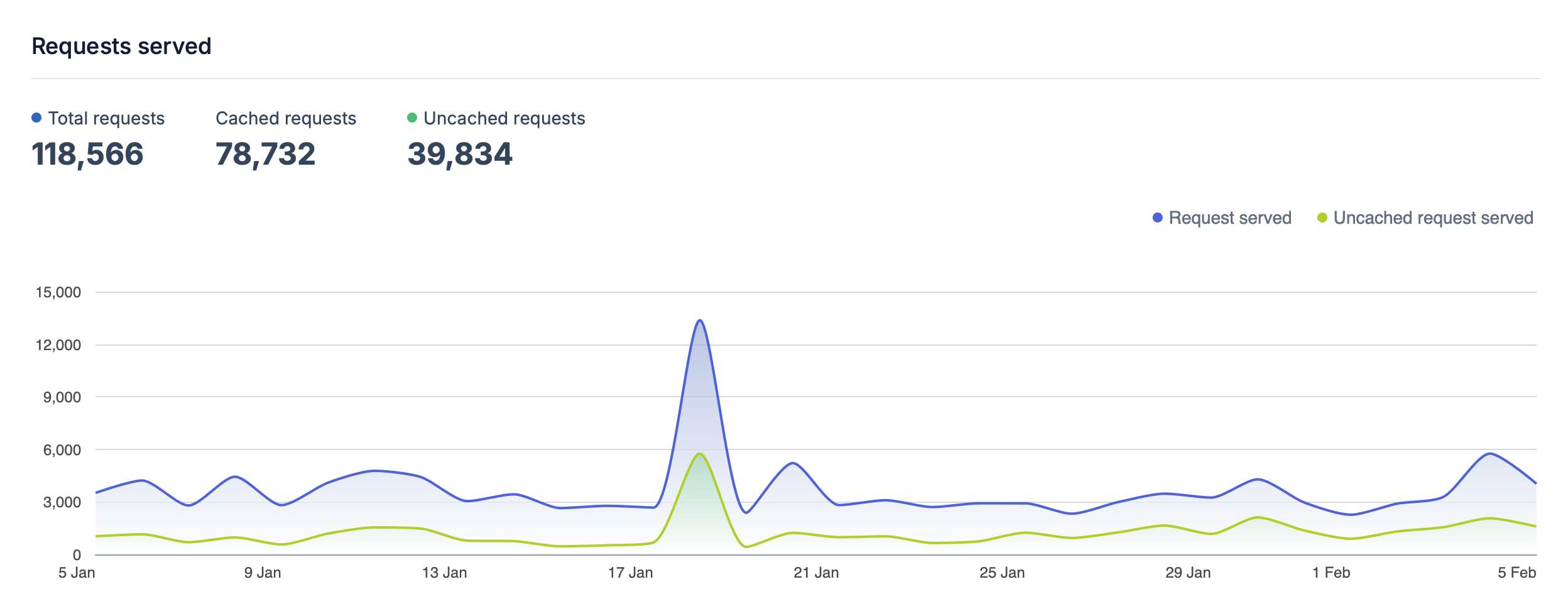
I have a storage zone in London with a replica in Brazil and a Pull Zone configured with Europe and North America zones configured. I don't remember why I chose Brazil for the storage replica! I generally see a good level of cache hits in the stats they provide.
Github Actions CI/CD
The site is automatically deployed when I push to the main branch in it's github repo which makes it easier to tweak or add to without needing to be at a computer.
I have a couple of shortcuts configured on my phone so I can easily post Photos and Locations whilst I'm away from home which use Working Copy to push to github. Occasionally I will also use working copy or the GitHub mobile app to edit more but usually it's from the shortcuts.
Travel map
Updated a bit from the original Places visited map which worked from front-matter, I've since moved to a separate data folder of locations to show on the map as yaml files containing the location, name, some additional metadata and an optionally a link and photo to include. This looks something like:
title: "San Jose"
layout: travel
datePosted: 2022
photo: /travel/photos/sanjose.jpg
lat: 9.9332828
lng: -84.0776586
description: >
    # Hotel Presidente, San Jose

Year: 2022
I'm not using all of this yet but wanted to include some additional elements for the future. This is then processed into GeoJSON in a layout template. The map itself is still powered by Mapbox GL using the map display template.
Recent Changes
- Added
tagged-postsshortcode to list blog entries with a given tag usingshort-list-itempartial - Added theme switching support to MapBox maps
- Built flights.json generation system with Python script, integrated into GitHub Actions
- Added projects section with styling improvements
- Added microblog section with a bot to post from Telegram